You can choose your bill frequency for matters that use fixed fee billing.
Before you begin:
- Enable fixed fee billing for the matter in the matter's billing options. (See Setting Up a Fixed Fee Billing Arrangement for a Matter for instructions.)
To do this:
- In Actionstep, view the matter you want to set up the billing arrangement for. (See Editing a Matter for help.)
- Click the Billing menu icon. The Billing page appears.
- On the left side of the page, click Matter billing options. The page is updated to show Matter Billing Options.
- In the Billing arrangement section, make sure Arrangement is set to Fixed fee.
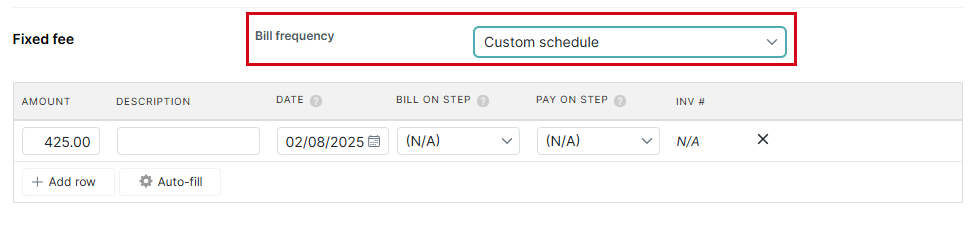
- In the Fixed fee section that appears, click the Bill frequency drop-down list and choose which schedule you prefer:
- Custom schedule: Choose this option to identify key points in the matter workflow that you want to bill/pay the specified amount.
- Every billing cycle: Choose this option to bill every billing cycle.
- Custom schedule: Choose this option to identify key points in the matter workflow that you want to bill/pay the specified amount.
- Click Save to save and apply your new billing schedule.
Additional Resources:
Was this article helpful?
That’s Great!
Thank you for your feedback
Sorry! We couldn't be helpful
Thank you for your feedback
Feedback sent
We appreciate your effort and will try to fix the article