Adding multiple clients to a matter can only be done in Practice Management. You can do this either when you're creating a matter or editing one.
On matters where there are multiple clients, the system creates a "hidden" group contact (one group per matter) which acts as a container for the individual clients on that matter. This Hidden Group Contact is used by the system only and cannot be changed.
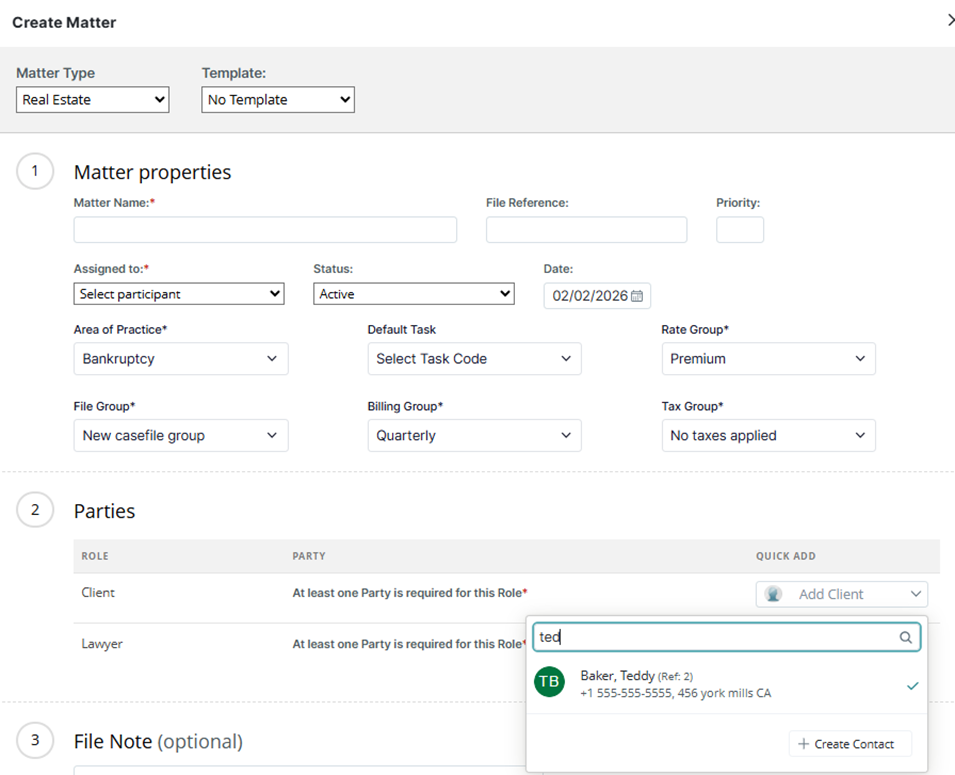
Adding Multiple Clients During Matter Creation
In the Parties section, perform a lookup for the clients you wish to associate with the matter. The first client added to the matter becomes the primary client on file and assumes 100% of the invoice until billing percentages are established for the co-clients in Legal Accounting.
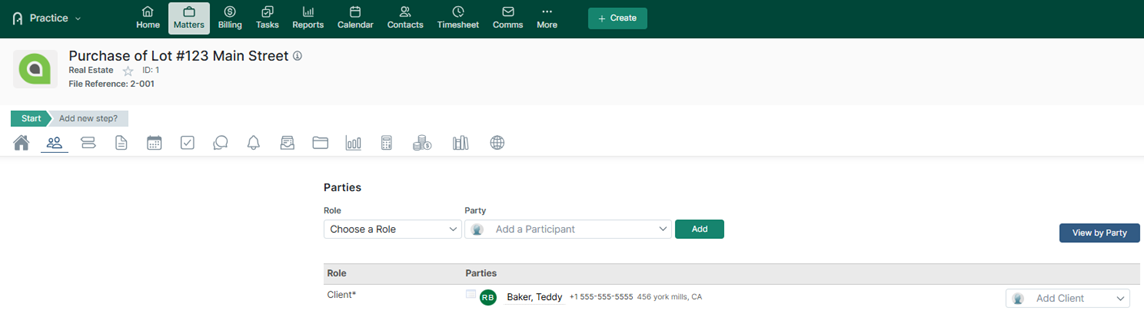
Add Multiple Clients after Matter Creation
If the matter has already been created, find the matter in Practice Management, go to the Parties Tab and look up or add the additional clients to the matter. The first client added to the matter becomes the primary client on matter and assumes 100% of the invoice until billing percentages are established for the co-clients in Legal Accounting.
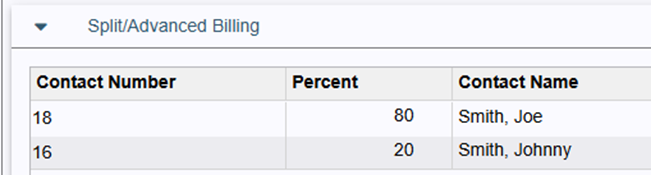
Assigning Billing Percentages to the Clients on the Matter
Billing percentages are defined in the Split/Advanced Billing section of Legal Accounting File Manager on a file-by-file basis.
Removing a Client from a Matter
If a client was added in error to a matter, simply look up the matter in Practice Management and click on the View menu icon next to the contact’s initials to access the Remove Party function. When removing a co-client from the matter, the Billing Percentage (if previously set) will be added to the primary client in Legal Accounting. Ensure that you review the Legal Accounting billing percentages each time you adjust the clients for a matter.
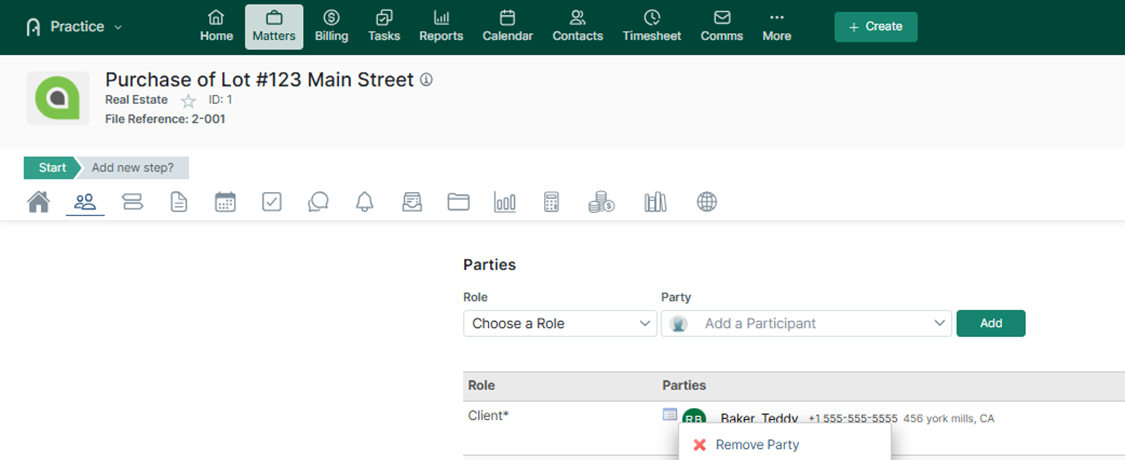
If there are multiple clients on a matter, but an incorrect primary client has been defined, find the matter in Practice Management and use the Remove Party function to remove the client from the matter. Then add the clients back to the matter, starting with the Primary Client as the first one to be added.
Was this article helpful?
That’s Great!
Thank you for your feedback
Sorry! We couldn't be helpful
Thank you for your feedback
Feedback sent
We appreciate your effort and will try to fix the article